Installation
1. Install KCL
From the Binary Releases
Each release of KCL includes various OSes and architectures. These binary versions can be manually downloaded and installed from Github and add {install-location}/kclvm/bin to the environment PATH.
MacOS & Linux
export PATH=$PATH:{install-location}/kclvm/bin
Windows
$env:PATH += ";{install-location}\kclvm\bin;"
Using script to install the latest release
MacOS
Install the latest darwin KCL to /usr/local/kclvm/bin
curl -fsSL https://kcl-lang.io/script/install.sh | /bin/bash
Linux
Install the latest linux KCL to /usr/local/kclvm/bin
wget -q https://kcl-lang.io/script/install.sh -O - | /bin/bash
Windows
Install the latest windows KCL to $Env:SystemDrive\kclvm\bin and add this directory to User PATH environment variable.
powershell -Command "iwr -useb https://kcl-lang.io/script/install.ps1 | iex"
Homebrew (MacOS)
brew install kcl-lang/tap/kclvm
Scoop (Windows)
Install Scoop first, then add this bucket and install kcl by running:
scoop bucket add kcl-lang https://github.com/kcl-lang/scoop-bucket.git
scoop install kcl-lang/kclvm
From Go
Install kcl through the Go command (Go requires 1.18+).
go install kcl-lang.io/kcl-go/cmds/kcl-go@main
Add an alias for the kcl command (optional).
alias kcl='kcl-go run'
From Docker
- Command
docker run --rm -it kusionstack/kclvm
- Update image
docker pull kusionstack/kclvm
Note
⚠️ For all the above operating systems and installation methods, if you want to use KCL Python plug-in, you need to ensure that Python 3.7+ is installed and add the python3 command to your PATH environment variable.
2. Install KCL IDE Extension
VS Code
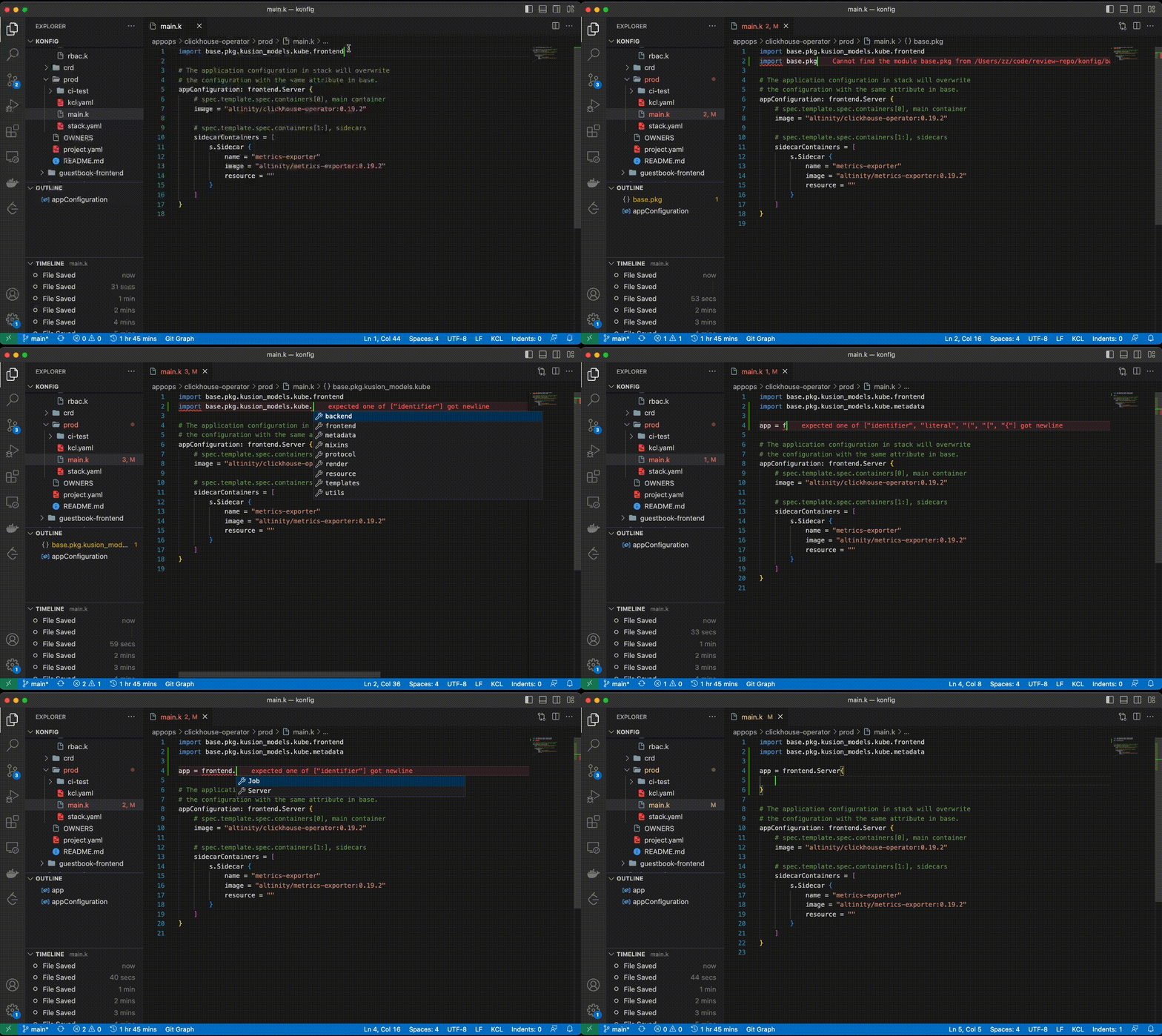
The KCL Extension extension provides some coding assistance, e.g., highlight, goto definition, completion, hover, outline, and diagnostics. You can go here for more information about the installation.
IntelliJ IDEA
Download the distribution from here and in IntelliJ IDEA, click Preference -> plugins -> install Plugin from Disk... -> select kcl-idea-plugin zip -> restart IDE. This plugin requires the IntelliJ IDEA 2020.2+